Count down to what matters most

Beautiful countdowns, countups and progress bars for birthdays, holidays, trips and deadlines — right on your Home Screen, Lock Screen and StandBy. The first countdown app with every feature free.

iPhone · iPad · Mac · Apple Watch · Requires iOS 18

★★★★★ 4.8 on the App Store · Free

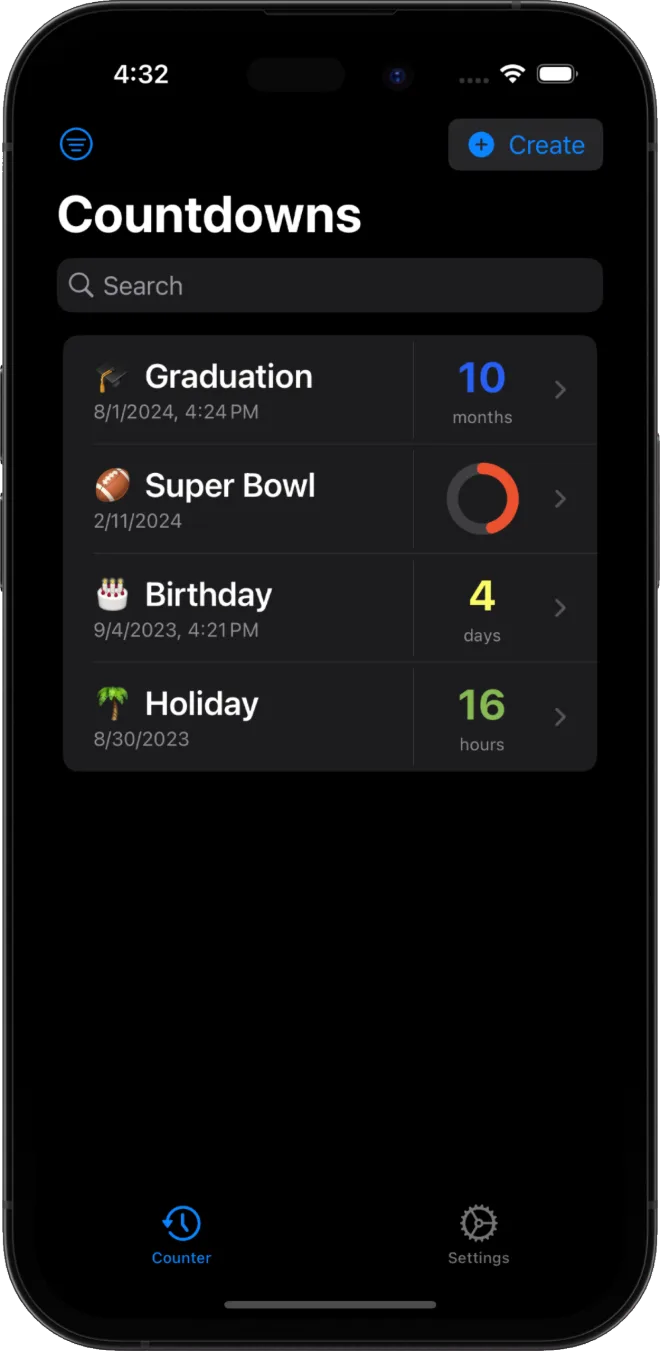
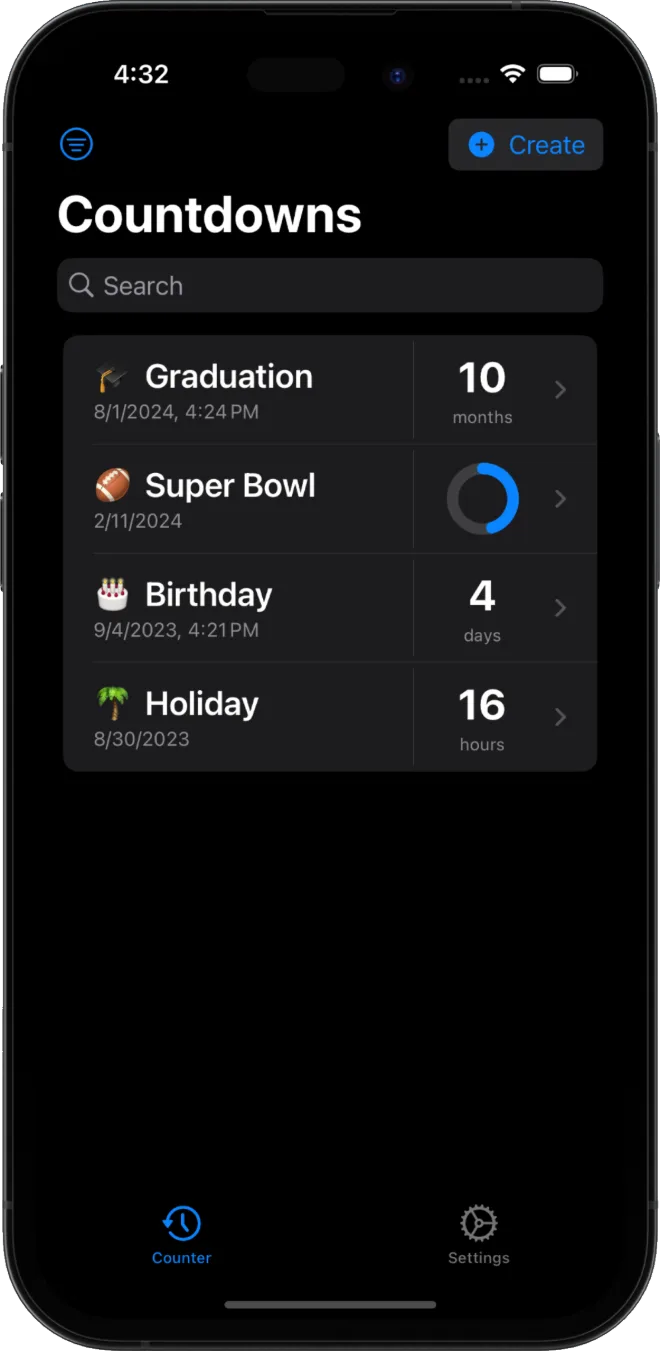
CNDWN countdown list on iPhone showing Graduation, Super Bowl, Birthday and Holiday countdowns

Every feature, free

CNDWN packs everything you'd expect from a premium countdown app — and gives it all away for free.

Countdowns & countups

Count down to birthdays, weddings, exams, vacations or a product launch — or count up since a memorable day. Days, hours, minutes, as precise as you like.

Progress bars

Track long-term goals like a vacation, a semester, a pregnancy, a fitness milestone or a project deadline with a clean circular progress ring.

Home, Lock Screen & StandBy widgets

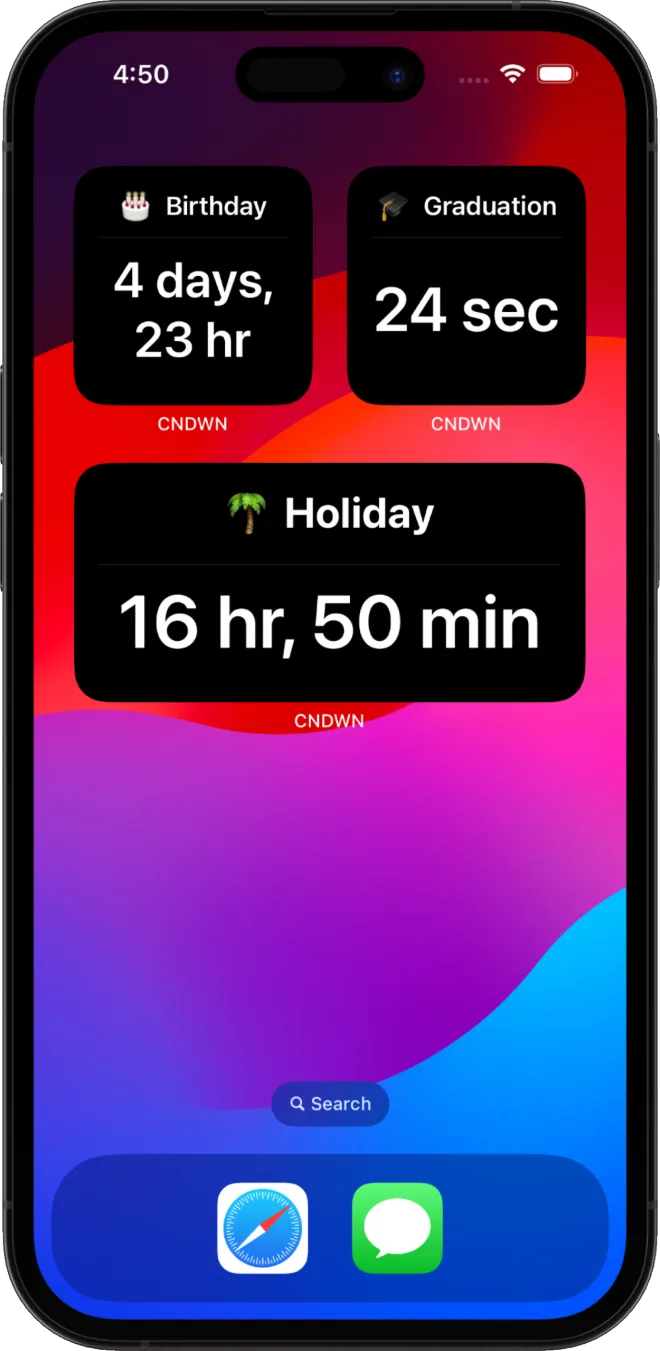
Pin your countdown widget to the Home Screen, Lock Screen or StandBy mode so the days until your event are always in view — no need to open the app.

Live Activities

Watch a countdown tick down live on your Lock Screen and in the Dynamic Island as the moment approaches.

iCloud sync

Your countdowns follow you across iPhone, iPad, Mac and Apple Watch — automatically, through your own iCloud.

Custom colors

Give every countdown its own color so your most important dates are easy to spot at a glance.

Import from Calendar & Reminders

Turn any event from Calendar or Reminders into a countdown in a couple of taps — no retyping dates.

Notifications

Optional reminders — an hour, ten minutes or a minute before the end — so a countdown never slips by unnoticed.

Share & Handoff

Share a countdown with friends and family, and hand it off seamlessly from one Apple device to the next.

Your first countdown in seconds

No account, no setup, no clutter. Just pick a date and go.

1

Add an event

Type a title and pick a date, or import an event straight from Calendar or Reminders.

2

Make it yours

Add an emoji, pick a custom color and choose a countdown, countup or progress bar.

3

Watch it tick

Pin a widget to your Home or Lock Screen and watch every day count down — even in the Dynamic Island.

See it on your devices

Home Screen widgets and custom colors — real screenshots from the App Store.

Your countdowns are nobody's business but yours

CNDWN keeps your data on your device and in your personal iCloud account. There are no advertising trackers, no analytics profiles sold to anyone, and the developer can't see your countdowns.

No ads No trackers No data selling Your own iCloud

About CNDWN

The key facts, at a glance.

Developer
Schillan
Platform
iPhone, iPad, Mac, Apple Watch
Category
Lifestyle / Productivity
Requires
iOS 18+
Pricing
Free — every feature included
Privacy
No ads, no trackers, your own iCloud
Languages
EN, DE, ES, FR, JA, ZH
Rating
4.8 / 5 on the App Store

Guides & tutorials

Everything you need to get the most out of CNDWN — and countdowns in general.

Frequently asked questions

Everything you might want to know before you download.

What is CNDWN?

CNDWN is a countdown and countup app for Apple devices. It lets you count down to birthdays, holidays, trips and deadlines — or count up since a past moment — and shows the time remaining right on your Home Screen, Lock Screen and StandBy with widgets, Live Activities and progress bars. It runs on iPhone, iPad, Mac and Apple Watch.

Is CNDWN really free?

Yes. CNDWN is the first countdown app that gives you every feature for free — countdowns, countups, progress bars, widgets, Live Activities, iCloud sync, custom colors and more. There are no ads and no trackers.

Which devices does CNDWN work on?

CNDWN works on iPhone, iPad, Mac and Apple Watch and requires iOS 18.0 or later. Your countdowns sync automatically across all of your Apple devices through your own iCloud account, and Handoff lets you pick up where you left off.

What's the difference between a countdown, a countup and a progress bar?

A countdown shows the time remaining until a future date. A countup shows how much time has passed since a date in the past. A progress bar shows how far along you are between a start and an end date — great for projects, semesters or milestones.

Does CNDWN have widgets and Live Activities?

Yes. CNDWN includes Home Screen, Lock Screen and StandBy widgets, plus Live Activities that show your countdown on the Lock Screen and in the Dynamic Island — so you can see the time remaining without opening the app.

Can I create a countdown from my calendar or reminders?

Yes. With your permission, CNDWN can read events from Calendar and Reminders so you can turn any event into a countdown in a couple of taps. This data is processed on your device and is never sent to the developer.

What occasions can I use CNDWN for?

Anything with a date attached: birthdays, weddings, anniversaries, exams, graduations, vacations, pregnancies, product launches, concerts, sobriety milestones, moving day or a long-distance relationship reunion. If it has a date, CNDWN can count down — or up — to it.

Is there a good countdown app for vacations or trips?

Yes — CNDWN is a popular choice for vacation countdowns. Add your trip's departure date, give it a custom color and emoji, and pin it as a widget to your Home Screen or Lock Screen so you can watch the days tick down until you leave.

Can I use CNDWN to count down to an exam or deadline?

Yes. Import the date directly from Calendar or Reminders, or add it manually, then use a progress bar to see how much study or work time is left, or a countdown to see exactly how many days, hours and minutes remain.

Is CNDWN private? Does it collect my data?

Yes, CNDWN is privacy-first. Your countdowns are stored on your device and, if you enable sync, in your own private iCloud account. CNDWN has no ads, no third-party trackers, and does not sell your data. The developer has no access to your countdowns. Read the full Privacy Policy.

Start counting down today

Download CNDWN and turn every important date into a moment worth waiting for.